Deadline and due date usually mean the final cutoff. When is the time you plan to work. Rescheduling When changes the plan without hiding the real commitment.
One date field cannot represent both meanings without losing information. If Tuesday means both “work on this Tuesday” and “this must be finished Tuesday,” moving the task to Wednesday either changes a harmless plan or silently misses a real commitment. Two dates make that difference visible.
Is there a difference between a deadline and a due date?
In everyday use, no. Both words name the point after which the work counts as late, and most people use them interchangeably. For planning tasks, the more useful split is between that cutoff and the day the work happens.
A task list still needs some way to answer a practical question: what should happen today? In an app with one date field, the obvious answer is to give each task a due date. “Write project outline” gets Tuesday, even though nobody is waiting for it on Tuesday. The date is really a personal plan wearing the label of a hard commitment.
That works until Tuesday changes. A meeting runs long, an urgent request arrives, or the outline needs more research. The work moves to Wednesday in practice, but its date stays behind. The task now looks late even though no actual deadline has passed.
Repeat that across a week and the list fills with overdue markers. Some tasks need a new plan. Others have crossed a genuine cutoff. Both look the same. The red color no longer distinguishes “reschedule this” from “this is genuinely late,” so every red task demands a second interpretation.
This is the false-overdue spiral. Planned dates are treated as promises, normal changes are presented as failures, and the signal becomes noisy. Once most of the list is marked late, the warning stops carrying useful information. A person may respond by changing dates repeatedly, ignoring the markers, or avoiding dates except for the most serious commitments.
None of those responses is irrational. They are ways of working around a field that has been given two incompatible jobs. The missing information is not another priority label. It is whether the date describes an intention or a consequence.
What each date actually represents
When belongs to the plan. It answers, “When is there a realistic opportunity to do this?” It can be an all-day date or a specific time. Moving When normally means that the plan changed. It does not mean the task itself became less important or that an external agreement changed.
Deadline belongs to the commitment. It answers, “After what point is this late or no longer useful?” A filing cutoff, client delivery time, application closing date, or travel-document requirement can supply that constraint. Changing a Deadline should be unusual because it usually depends on something outside the daily plan.
Consider one task: prepare a tax document. The plan is to work on it Tuesday at 9:00 AM, and the document must be submitted Friday at 5:00 PM. Its When is Tuesday at 9:00 AM. Its Deadline is Friday at 5:00 PM.
If Tuesday becomes crowded, moving When to Wednesday records a new intention. Friday remains the final acceptable time. If the document is finished Tuesday, the Deadline caused no extra work. It simply preserved the fact that the plan had room to move without hiding the real constraint.
The distinction also works when only one meaning exists. A weekly review with no external cutoff may need When but no Deadline. A document due at the end of the month may need a Deadline before there is enough information to choose a work session. An idea that is not ready for scheduling may need neither.
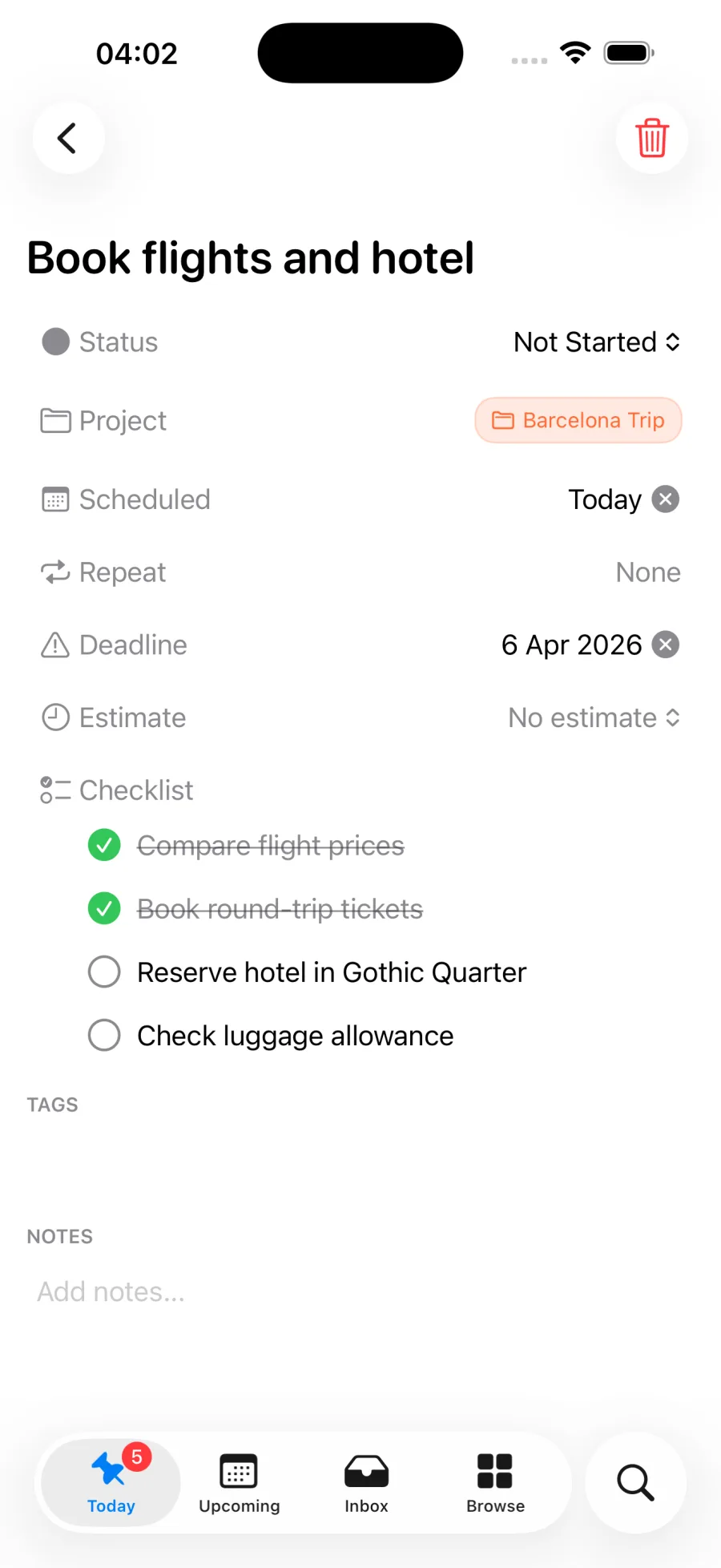
Plan with When and Deadline in Pinwork. Keep the work date separate from the real cutoff.
Should you schedule the work separately from the deadline?
Start with the constraint. Ask whether the task has a real final date or time. If it does, record a Deadline. If it does not, leave Deadline empty rather than inventing urgency.
Then choose When based on available time, energy, and sequence. Work that needs preparation belongs earlier than its Deadline. A short task may fit on the same day. A task with no Deadline can still receive a When date because deciding when to act is useful even when nobody else is waiting.
During daily planning, work from When. It gives the day a concrete shape without turning every choice into a promise. Deadlines can remain quiet while there is enough room. As a real cutoff approaches, it can pull the task forward into an earlier plan. The two fields therefore answer separate review questions: “What is planned now?” and “What cannot slip?” The weekly review checklist asks both questions once a week.
When the day changes, change When. There is no need to move Deadline unless the actual constraint also changed. This is not permission to ignore unfinished work. It is a way to update the plan honestly while preserving the consequence of further delay.
Pinwork models these meanings as separate fields. A task can have only When, only Deadline, both, or neither. When controls whether a scheduled task appears in Today, Upcoming, or another scheduled view. An unfinished task whose When date has passed can roll forward into Today rather than vanishing from the plan.
The fields can also be cleared separately. Clearing Deadline does not remove When. Removing When from a recurring task is a special case: Pinwork also clears recurrence because the recurrence needs a When date to anchor its next occurrence. That boundary matters when rescheduling becomes unscheduling.
Calendar use keeps the same division. For a task linked to Apple Calendar, When controls the event timing, and an estimate can provide its duration. Deadline can be used as an EventKit alarm on that linked event. The alarm preserves the cutoff without pretending that the cutoff is the planned work time.
The exact controls are covered in the When vs Deadline guide. The related scheduling guide explains defer, snooze, drag scheduling, and recurrence. Those actions are easier to choose once the meaning of each date is settled.
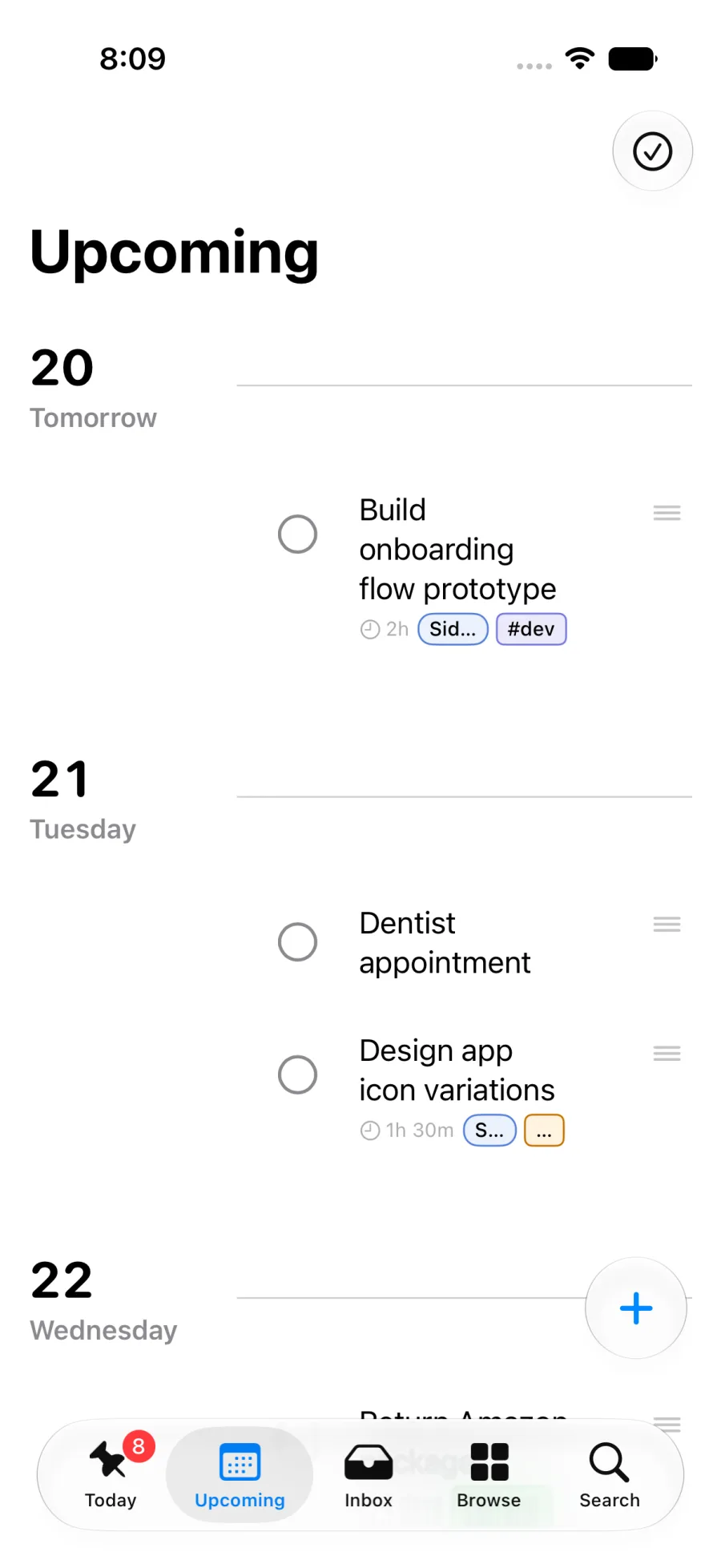
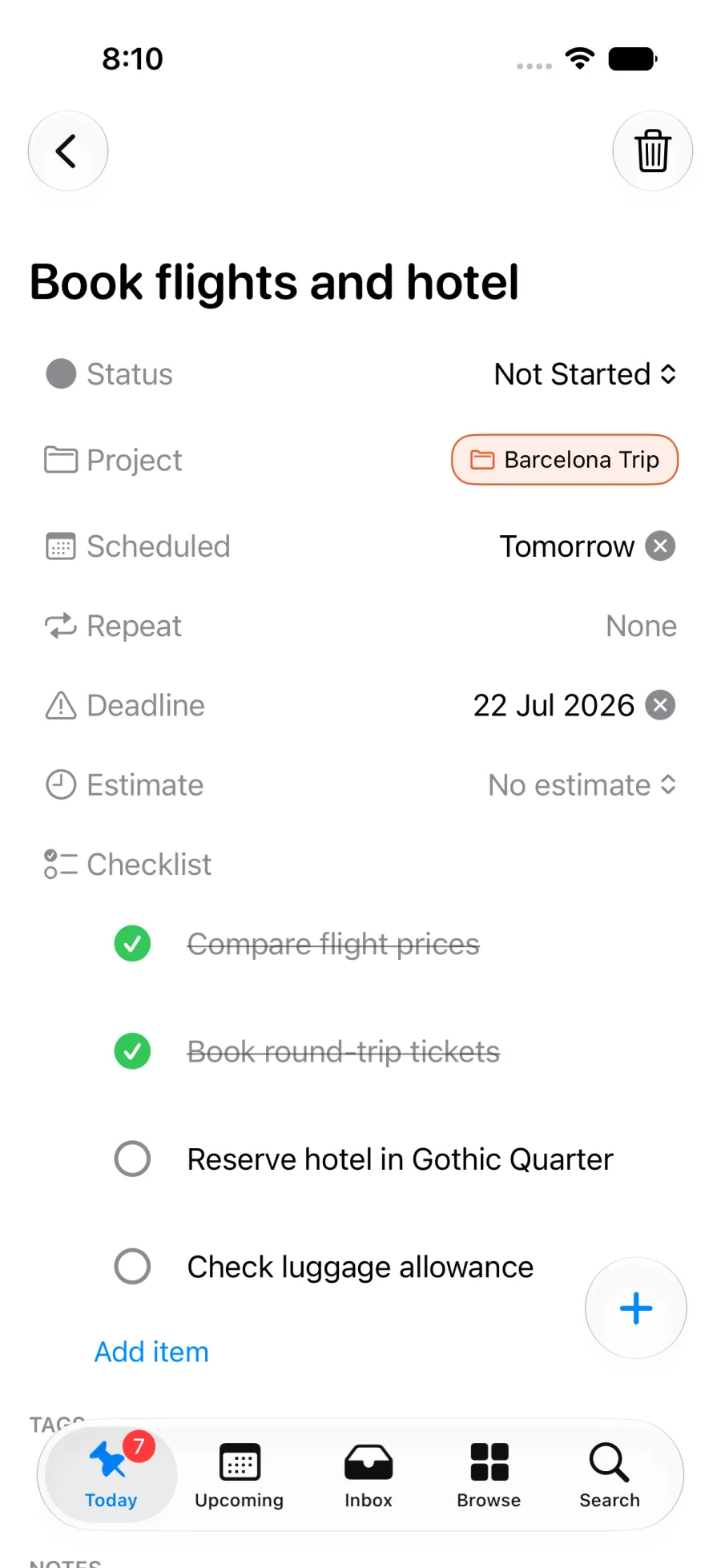
The Backward Planning Calculator turns this split into a plan: enter a Deadline and a work estimate, and it recommends the When to start from.
Which to-do apps keep a do date and a deadline apart?
Several to-do apps for Apple devices now separate the two meanings, each under its own field names. The list below covers what each vendor documents today, and a side-by-side comparison of eight apps adds which plan includes the deadline.
- Pinwork. Every task has a When date and a separate Deadline. Both can be typed into the same line as the task, and each can change or be cleared without touching the other. A Deadline can also become an alert on a linked Apple Calendar event.
- Things 3. A to-do can carry a When date and a Deadline. A to-do with only a Deadline moves into Today once that date arrives.
- OmniFocus 4. Version 4.7, released in August 2025, added a planned date beside the existing defer and due dates.
- Todoist. A task has a date, and since January 2025 it can also carry a separate deadline. Deadlines are part of the paid Pro and Business plans.
- Google Tasks. A task can carry a start date and time and a separate deadline for the day it is expected to be done. On the deadline date, a notification arrives at 9:00 AM.
- Apple Reminders. A reminder has one date and time, plus alerts such as an early reminder. Apple documents no second deadline field.
The names differ, but the question each app answers is the same: which date is the plan, and which date is the promise. Where only one date exists, that date has to carry both meanings.
When one date is enough
Two dates are not automatically better for every task list. They add a distinction, and that distinction is only valuable when plans and constraints regularly differ.
A short list may not need formal planning dates. If there are five visible tasks and their order is obvious, choosing the next one directly can be simpler than scheduling each item. Notes, ideas, and early project steps may also be clear enough without either field.
Some work genuinely begins and ends on the same day. A form opened in the morning and due that afternoon may not benefit from separate dates. Setting only a Deadline can communicate everything necessary, especially when the task will be handled as soon as it appears.
Another reasonable system is to record only hard external commitments. In that approach, dates always mean “due,” and everything else is planned ad hoc from a short list. The benefit is low maintenance and a strong date signal. The cost is that the task list does not show when earlier preparation is supposed to happen.
The two-date model earns its place when the list has enough moving work that planned days often change, while real cutoffs must remain visible. It is less useful when work is simple, immediate, or comfortably managed without a dated plan.
For a broader view of where this model sits in the product, what Pinwork is explains the app’s main ideas. For the exact steps to apply the distinction, finish with the When vs Deadline guide.